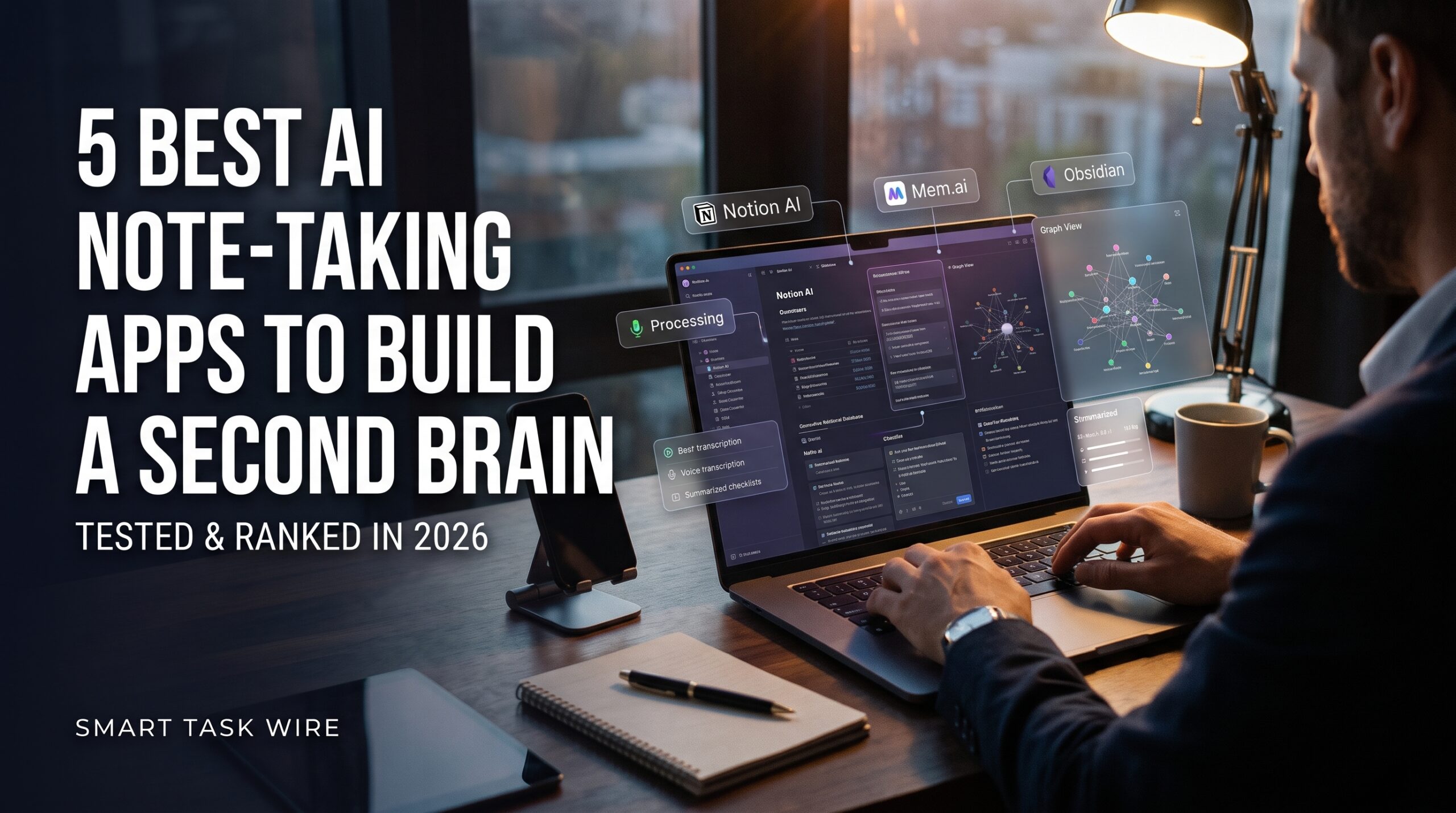
Finding the best ai note taking apps has become the single most effective way to eliminate intellectual clutter, capture spontaneous ideas, and build a dependable digital memory. Most professionals, researchers, and creators accumulate hundreds of scattered text documents, browser bookmarks, and voice memos across various folders, only to never retrieve them when actual execution is needed.
Traditional note repositories act as passive storage lockers where valuable insights go to gather digital dust. In contrast, deploying the best ai note taking apps transforms your personal knowledge base into an active, thinking partner. Modern artificial intelligence platforms link disparate thoughts autonomously, transcribe voice recordings into polished markdown summaries, and allow you to chat with your entire reading archive using conversational search.
Whether you need a private, offline workspace or a shared company knowledge wiki, picking the right platform is critical. In this comprehensive benchmark, we test and rank the five leading platforms designed to build an automated second brain based on retrieval speed, organization architecture, privacy protocols, and pricing.
Why Modern Knowledge Workers Need the Best AI Note Taking Apps
Table of Contents
The traditional philosophy of digital organization required meticulous folder hierarchies, manual tagging systems, and continuous filing discipline. For busy professionals, maintaining these systems often took more time than doing the actual creative work.
When you switch to the best ai note taking apps, the burden of mechanical filing is outsourced to semantic algorithms:
- Autonomous Bi-Directional Linking: Rather than forcing you to memorize folder paths, modern vector embeddings discover contextual links between an article read six months ago and a meeting note taken this morning.
- Semantic Conversational Retrieval: You no longer need exact keyword syntax to surface an old thought. You can query your database naturally (e.g., “What were the recurring software architecture objections raised by clients in Q2?”) and receive direct synthesized answers.
- Multimodal Voice Ingestion: Voice-to-text models like Whisper transcribe speech on the fly, formatting stream-of-consciousness brain dumps into structured checklists and action steps.
Deploying these smart systems ensures your valuable ideas remain easily accessible whenever creative inspiration strikes.
1. Notion AI: Best All-in-One Workspace for Structured Knowledge Bases
Notion remains the primary ecosystem for individuals and growing teams requiring relational databases, documentation wikis, and task management under a single digital roof.
- Primary Strength: Relational database automation, team collaboration, and unified documentation.
- How It Operates: Notion embeds generative artificial intelligence directly into its modular block system. It analyzes text across private pages, summarizes client briefs, and automates database workflows without third-party integration software.
- Standout Feature: Autonomous Database Autofill. You can create custom AI properties inside any database table. When you drop raw transcripts or meeting bullet points into a row, Notion AI automatically extracts summaries, key takeaways, and action items into separate columns.
- Integrations: Deep syncing with Slack, GitHub, Google Drive, and major workplace applications.
- Pricing Structure: Generous free core plan for individual users; Notion AI add-on available for extended database querying and unlimited generation.
2. Mem.ai: Best Autonomous Self-Organizing Digital Brain
Mem is engineered from the ground up for knowledge workers who despise manual folder structures, category tags, and nested filing hierarchies.
- Primary Strength: Zero-organization architecture powered by continuous semantic vector embeddings.
- How It Operates: You simply type or dictate your thoughts into a flat feed. Mem’s background engine analyzes your text, links concepts together, and surfaces relevant past notes in the sidebar dynamically while you write.
- Standout Feature: “Mem Chat.” A conversational intelligence interface trained exclusively on your personal knowledge base. You can interrogate your entire history to prepare briefs, draft outlines, and synthesize research without opening a single folder.
- Internal Resource: To connect meeting takeaways directly to your personal archive, review our guide on the best AI meeting assistants to transcribe and summarize calls.
- Pricing Structure: Free tier provides core functionality; paid subscriptions start around $10 to $15/month for heavy AI chat workloads.
3. Obsidian (with Local AI Plugins): Best for Local Storage and Data Privacy
For developers, academics, and privacy purists who refuse to store trade secrets or sensitive intellectual property on corporate cloud servers, Obsidian represents the gold standard.
- Primary Strength: 100% offline local markdown file storage with an interactive graphical knowledge graph.
- How It Operates: Obsidian stores every note as an individual plain-text Markdown file on your computer’s hard drive. Through open-source community plugins (such as Smart Second Brain or Local LLM Assistant), you can connect local AI models (via Ollama) to query your notes completely offline.
- Standout Feature: The Interactive Graph View. A visual network visualization mapping every bidirectional link, tag, and relationship across your entire library of thoughts.
- External Resource: Explore plugins and open-source documentation on the official Obsidian.md platform.
- Pricing Structure: 100% free for personal use; optional paid add-ons for encrypted device synchronization.
4. Reflect Notes: Best for Frictionless Daily Logging and Calendar Sync
Reflect strips away complex structural configuration in favor of lightning-fast daily journaling, clean backlinking, and deep virtual calendar synchronization.
- Primary Strength: Frictionless daily note-taking, fast voice capture, and native calendar integration.
- How It Operates: Reflect centers your workflow on an automated Daily Note canvas. It integrates directly with Google Calendar and Outlook to automatically establish note containers for every scheduled meeting on your agenda.
- Standout Feature: Integrated Whisper Audio Transcription. Record spoken thoughts while commuting, and the built-in model converts the audio stream into structured markdown bullet points with correct punctuation and spelling.
- Internal Resource: To sync your daily notes into an automated morning executive digest, explore how to build an automated daily briefing using AI.
- Pricing Structure: 14-day free trial; flat monthly subscription for unlimited AI queries and encrypted sync.
5. Granola: Best Hybrid Canvas for Converting Conversations into Polished Notes
Granola bridges the gap between passive audio recorders and active manual typing, creating an interactive canvas tailored specifically for live client calls and discussions.
- Primary Strength: Bot-free audio transcription paired with user-driven shorthand typing.
- How It Operates: Granola runs natively on your desktop, capturing audio directly from your computer hardware without an intrusive third-party bot joining the call screen.
- Standout Feature: Contextual Shorthand Expansion. As you type rough two-word takeaways during a meeting, Granola uses the surrounding audio transcript to expand your shorthand notes into polished, comprehensive summaries formatted for executive briefings.
- Internal Resource: For deeper technical document synthesis alongside personal notes, explore the best AI research tools for PDF analysis.
- Pricing Structure: Generous free plan available; premium tiers start around $14/month for heavy meeting volumes.
Feature Comparison: The Best AI Note Taking Apps Tested
To help you determine which of the best ai note taking apps aligns with your personal workflow, review this comparison matrix:
| Application | Core Philosophy | Storage Location | AI Execution | Ideal User Profile |
| Notion AI | Relational Databases | Cloud | Cloud / Anthropic & OpenAI | Teams & Multi-Project Managers |
| Mem.ai | Autonomous Self-Filing | Cloud | Cloud Vector Index | Solopreneurs & Busy Creators |
| Obsidian | Local Ownership & Privacy | Local Drive | Local Offline LLM or BYO API | Developers & Privacy Purists |
| Reflect | Calendar Journaling | Cloud (End-to-End Encrypted) | Cloud Whisper & LLMs | Executives & Daily Planners |
| Granola | Conversation Enhancement | Local / Cloud | Native Desktop Engine | Founders & Meeting Leaders |
How to Successfully Implement a Digital Second Brain
Adopting new software requires establishing reliable daily habits so your second brain remains consistently updated:
- Adopt a Quick-Capture Habit: Install the mobile companion app of your chosen tool so you can capture book highlights, voice notes, and spontaneous ideas within five seconds of having them.
- Avoid Premature Folder Organization: Trust the semantic search features of modern tools. Spend your time capturing and connecting thoughts rather than designing elaborate nested folder hierarchies.
- Weekly Review and Synthesis: Spend 15 minutes every Friday using conversational chat tools to summarize what you learned during the week and surface pending follow-ups.
- Connect to Your Communication Hub: Integrate your note-taking database with dedicated AI email assistants to reach Inbox Zero to maintain a smooth flow between communications and long-term notes.
Frequently Asked Questions About the Best AI Note Taking Apps
What is a second brain in note-taking?
A second brain is an external, decentralized digital repository where you store ideas, reading notes, and project deliverables. By externalizing information storage, you free up your biological brain to focus on creative synthesis, problem-solving, and strategic thinking.
Can I run AI note-taking tools completely offline?
Yes. By pairing Obsidian with local model managers like Ollama, you can index your Markdown notes and run semantic queries completely offline on your local machine with zero external data sharing.
Which AI note app is best for beginners?
Notion AI offers the easiest starting point because of its intuitive interface, hundreds of free community templates, and familiar drag-and-drop workspace layout.
Final Recommendation
Building a reliable external memory system no longer requires hours of manual indexing and folder maintenance.
- If you need a flexible team workspace with structured databases and documents, go with Notion AI.
- If you want your notes to organize themselves autonomously without folders, pick Mem.ai.
- If you prioritize 100% data ownership, offline security, and visual graph linking, install Obsidian.
- If you live by your daily calendar and prefer voice-to-text journaling, choose Reflect.
Deploying one of the best ai note taking apps ensures your most valuable ideas and insights are preserved, connected, and immediately actionable whenever you need them.
5 Best AI Tools to Automate Excel and Google Sheets with AI in 2026 (Tested)