Table of Content
Finding the best AI voice to text tool is the single fastest way to break the typing bottleneck when your brain works faster than your keyboard. While traditional typing averages 40 to 60 words per minute, your natural speech easily hits 150 words per minute.
In 2026, finding the best AI voice to text software no longer means dealing with clumsy, error-prone dictation. Modern generative speech-to-text platforms interpret context, remove filler words like “um” and “uh,” format clean paragraphs, and insert natural punctuation directly into your favorite productivity software.
Whether you need rapid email triage, clean note-taking, or offline transcription, we tested dozens of platforms to find the best AI voice to text solutions for every workflow.
Quick Comparison: Top AI Dictation Apps
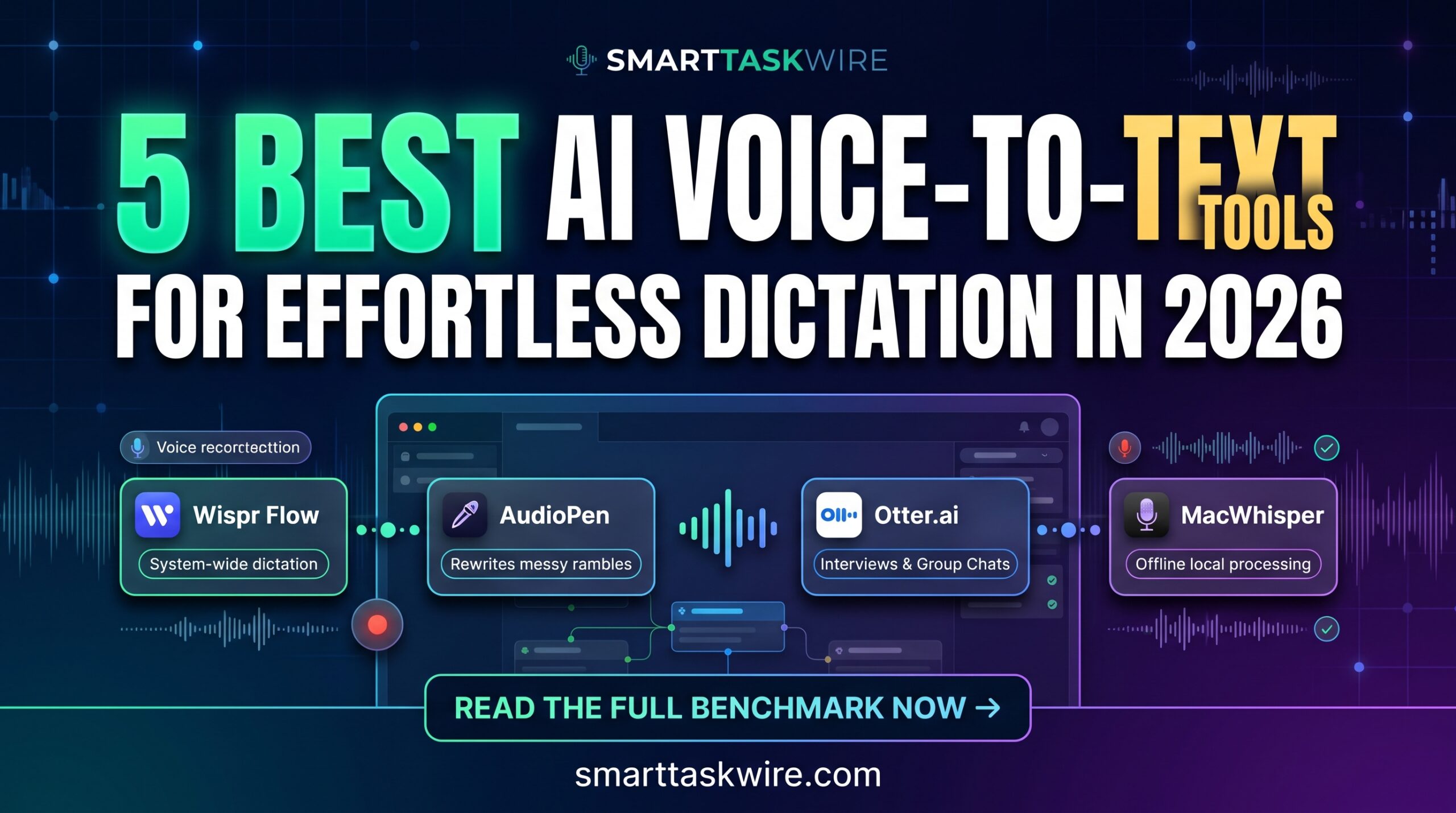
| Tool | Best For | Core Highlight | Pricing |
| Wispr Flow | System-Wide Typing Replacement | Direct injection into any app with auto-editing | Free tier / $12/mo Pro |
| AudioPen | Brainstorming & Unstructured Thoughts | Rewrites messy rambles into structured outlines | Free / $75 Lifetime |
| Superwhisper | Tech Professionals & Coders | On-device processing, custom modes, zero data leaks | Free / $8.49/mo |
| Otter.ai | Interviews & Group Discussions | Speaker separation, live sync, and Q&A chat | Free / $10/mo Pro |
| MacWhisper | Privacy & Offline Mac Use | Runs local Whisper models with one-time purchase | Free / €29 One-time |
1. Wispr Flow: The Best AI Voice to Text Tool for Universal Desktop Work
Best for: Replacing manual keyboard typing across Slack, Gmail, Notion, and Google Docs.
If you are looking for the best AI voice to text app for day-to-day writing, Wispr Flow is a standout option. It operates at the system level across macOS and Windows rather than locking you inside a single browser tab. By holding down a global hotkey anywhere on your computer, you can dictate naturally. Flow captures your speech, cleans up vocal stumbles, adds formatting, and inserts polished sentences right at your cursor.
- Key Strengths:
- Contextual Formatting: Adjusts its output style depending on whether you are chatting in Slack or composing a client email.
- Instant Speed: Offers sub-second generation speeds to keep your workflow fluid.
- Smart Commands: Understands formatting commands such as “new line” or “make this a bullet list” without typing them as text.
- Drawback: Requires installing a background desktop application.
- Pricing: Free tier available; Pro plan starts at $12/month.
For everyday messaging and document drafting, Wispr Flow is easily among the best AI voice to text platforms you can install.
2. AudioPen: The Best AI Voice to Text App for Organizing Rambling Thoughts
Best for: Founders, writers, and thinkers who need to unscramble spoken thoughts into structured drafts.
When speaking on the move, thoughts often drift and repeat. Standard transcription software simply records that disorganized speech. AudioPen takes a different path, making it one of the best AI voice to text tools for brainstorming. It processes raw audio with language models to produce concise, coherent summaries.
- Key Strengths:
- Custom Output Styles: Choose from business summaries, casual reflections, structured memos, or clean bullet points.
- Multilingual Translation: Speak in your preferred language and receive formatted output in English or 30+ other languages.
- Workflow Integrations: Sends processed notes directly into Notion, webhooks, or your favorite note apps.
- Drawback: Built for synthesized note-taking rather than verbatim in-line typing.
- Pricing: Free web version; Prime access starts with an annual plan or a $75 lifetime license.
If your primary goal is organizing raw audio into useful copy, AudioPen provides some of the best AI voice to text summarization available.
3. Superwhisper: The Best AI Voice to Text Solution for Coders and Privacy
Best for: Developers, technical writers, and anyone managing confidential business data.
Privacy-conscious teams often need the best AI voice to text tool that runs entirely offline. Superwhisper meets this need by running OpenAI’s Whisper model locally on your computer, ensuring sensitive files and code never travel to external servers.
- Key Strengths:
- Custom Dictation Modes: Switch to modes tailored for code, technical documentation, or standard prose.
- Complete Local Privacy: Operates offline with zero cloud data transmission.
- Vocabulary Control: Add proprietary terminology, software libraries, and acronyms to prevent spelling errors.
- Drawback: Demands modern hardware (such as Apple Silicon) for the fastest local processing.
- Pricing: Free version available; Pro unlocked at $8.49/month or via a lifetime purchase.
For technical precision without data leaks, Superwhisper is the best AI voice to text engine for privacy-focused users.
4. Otter.ai: The Best AI Voice to Text Platform for Meetings and Interviews
Best for: Client debriefs, team discussions, and recorded interviews.
Single-speaker tools often struggle in group settings. Otter.ai continues to rank as the best AI voice to text platform for meetings, accurately transcribing multiple speakers in real time.
- Key Strengths:
- Speaker Diarization: Identifies distinct voices and assigns text to the right speaker.
- Meeting Recaps: Generates instant action items, bulleted recaps, and timestamps.
- Searchable Audio Archive: Ask questions directly against the meeting transcript using built-in AI search.
- Drawback: Overkill for quick, solo note dictation.
- Pricing: Generous free plan; Pro begins at $10/month.
For recording cross-talk and automated meeting takeaways, Otter remains the best AI voice to text choice for collaborative teams.
5. MacWhisper: The Best AI Voice to Text Utility with No Monthly Subscription
Best for: Mac users looking to avoid recurring software fees.
If recurring charges are adding up, MacWhisper is the best AI voice to text utility with a one-time purchase model. It leverages Apple Silicon’s Neural Engine to deliver fast, accurate transcription on device with minimal battery usage.
- Key Strengths:
- Batch File Processing: Drop audio or video files into the app to produce transcripts or
.srtsubtitles in seconds. - Offline Capability: Dictate and transcribe without an active internet connection.
- One-Time Pricing: Avoid monthly fees with a single software license.
- Batch File Processing: Drop audio or video files into the app to produce transcripts or
- Drawback: Available exclusively on macOS.
- Pricing: Free base version; Pro edition available for a one-time payment of €29.
Mac users seeking simple, subscription-free speech transcription will find this to be the best AI voice to text software purchase.
How to Integrate the Best AI Voice to Text Tools into Your Setup
Choosing the best AI voice to text tool will noticeably streamline your day when connected to your broader automation stack:
- Email Triage: Combine your dictation setup with our top picks for the Best AI Email Assistants to clear your inbox in minutes.
- Knowledge Bases: Send voice notes into your workspace to upgrade your knowledge system (explore our guide to the Best AI Note-Taking Apps).
- Morning Routines: Dictate your daily priorities aloud and organize your morning kickoff using our Automated Daily Briefing Workflow.
Adopting the best AI voice to text workflow frees up valuable time and reduces typing strain, letting you capture ideas effortlessly as you speak.