Image to Video AI Tools 2026: 5 Best Apps to Animate Stills Like Magic
Table of Contents
While text-to-video generation creates scenes from scratch, prompting an AI model to render an exact visual composition remains challenging. That is why digital artists, video editors, and agency marketers rely heavily on image to video AI tools 2026. Starting with a still image—whether an AI concept render, product mock-up, or portrait—gives creators precise control over framing, lighting, and wardrobe before adding motion.
Modern image to video AI tools 2026 no longer rely on simple 2D warping or pan-and-scan morphing. Today’s generative engines calculate depth geometry, physical inertia, and spatial lighting from single flat images. They allow clothing to ripple, facial micro-expressions to convey genuine emotion, and virtual camera rigs to orbit subjects without distorting core character likeness.
Whether you need to animate high-converting social media creatives, bring brand mascots to life, or prototype film storyboards, selecting the right animator is crucial. Here is an in-depth breakdown of the five premier image to video AI tools 2026 leading the generative video sector.
Comparison of Top Image to Video AI Tools 2026
| Platform | Best For | Standout Animation Feature | Free Access / Pricing |
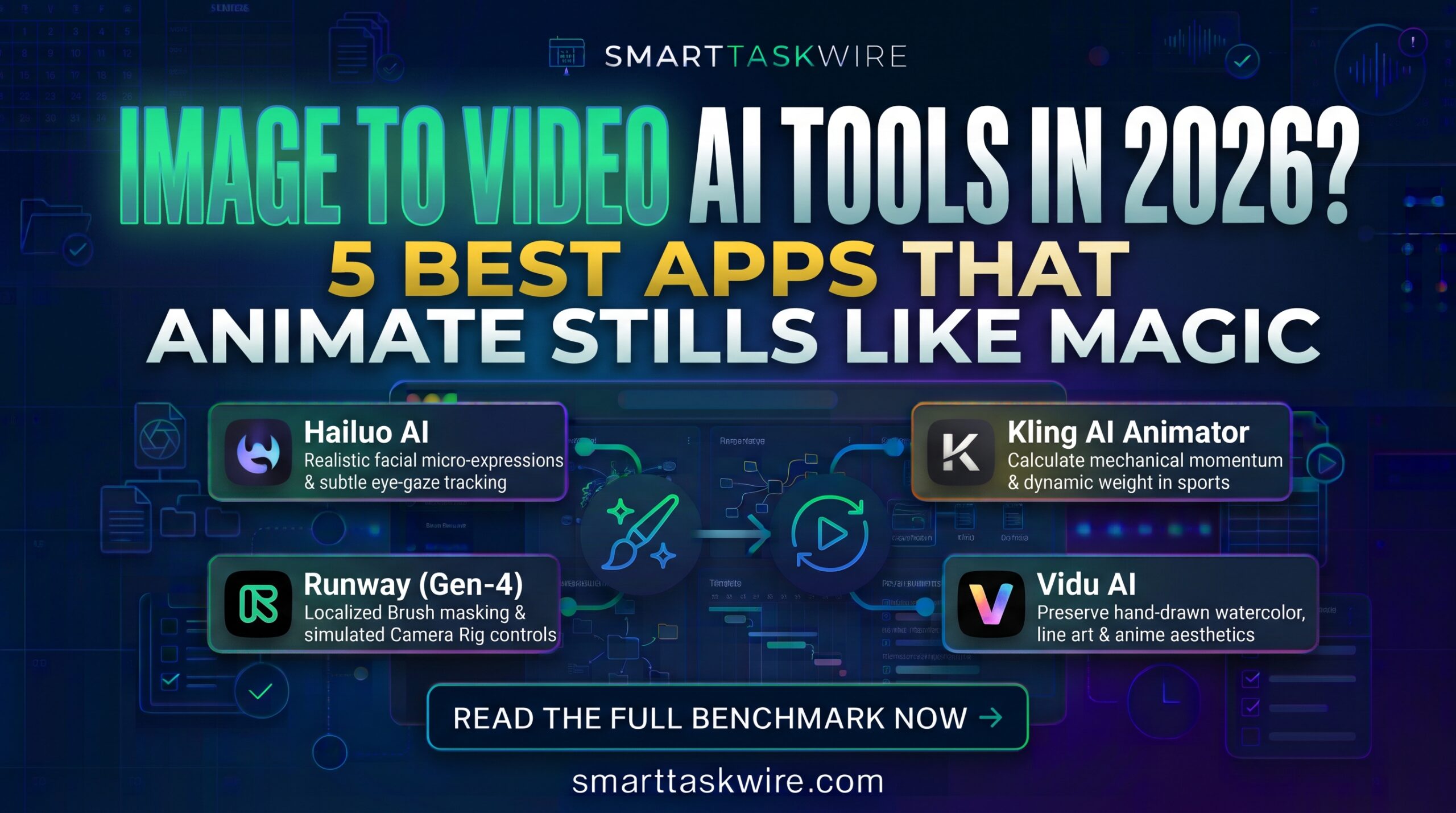
| Hailuo AI (MiniMax) | Emotional character portraits | Realistic facial micro-expressions and subtle eye-gaze tracking | Free daily credits / Standard from $9.99/mo |
| Pika (2.0 / 2.2) | Viral physical transformations | Scene Ingredients & dynamic physical simulations (Pikaffects) | Free starter credits / Plans from $10/mo |
| Runway (Gen-4 Motion Brush) | Surgical localized animation | Paint up to 5 individual motion zones with custom trajectory control | Free 125 credits on signup / Standard from $12/user/mo |
| Kling AI Image Animator | High-energy dynamic scenes | Realistic anatomical movement and high-speed physical momentum | 66 free daily credits / Plans from $6.99/mo |
| Vidu AI | Stylized & anime artwork | Anime aesthetic retention with clean line art in motion | Free tier available / Plans from $9.99/mo |
1. Hailuo AI (MiniMax): Unrivaled Facial Fidelity and Subtle Emotion
Best for: Animating character portraits, digital avatars, and dialogue-driven close-ups.
When animating still human portraits, most engines introduce uncanny facial drifting or unnatural smirks. Hailuo AI, powered by MiniMax’s advanced models, stands as a top pick among image to video AI tools 2026 by mastering nuanced facial anatomy.
- Key Strengths: Accurately retains eye shape, lip definition, and natural head tilt without distorting background structures.
- Lighting Preservation: Natural illumination on your still image reflects dynamically across the subject as they turn their head.
- Limitations: Best suited for moderate, grounded character gestures rather than high-impact acrobatic action.
- Pricing: Free daily trial credits; Standard subscription tiers begin around $9.99 to $14.99/month.
For digital storytellers who prioritize authentic human emotion and stable facial anatomy, Hailuo AI is an indispensable part of image to video AI tools 2026.
2. Pika (2.0): Creative Physics and Scene Ingredients
Best for: Social media ad hooks, surreal object interactions, and multi-asset scene compositing.
Pika transformed visual social media with its signature physical effects (Pikaffects) like squishing, melting, and inflating objects. With version 2.0 and above, Pika solidified its position in image to video AI tools 2026 through its “Scene Ingredients” engine.
- Scene Ingredients: Upload an image of an actor, an image of an object, and a backdrop; Pika synthesizes them into one cohesive animated scene.
- Physical Realism: Fluid dynamics, expanding foam, melting cheese, and fabric wrinkles behave with physical plausibility.
- Limitations: Default clip lengths run 3 to 4 seconds, requiring credit extensions for longer narratives.
- Pricing: Free credit allocations on sign-up; paid plans start at $10/month.
Pika 2.0 stands out among image to video AI tools 2026 for turning static product mockups into engaging video ads.
3. Runway Gen-4: Surgical Brush Controls for Film Creators
Best for: Commercial art directors and indie filmmakers requiring precise regional motion control.
Runway’s Motion Brush makes it an essential choice among image to video AI tools 2026. Rather than letting the model decide what moves, Runway allows creators to paint specific elements manually.
- Multi-Motion Brush: Isolate waterfalls, passing cloud banks, or a model’s hair, setting distinct directional velocities for each painted mask.
- Camera Rig Simulation: Move virtual 3D cameras around the subject with adjustable pan, tilt, zoom, and roll settings.
- Limitations: 4K upscaling and multi-brush workflows consume monthly subscription credits quickly.
- Pricing: Free 125-credit starter tier; Standard plans begin at $12/user/month.
When an ad or film sequence demands targeted motion without disturbing the rest of the image, Runway Gen-4 remains the professional standard within image to video AI tools 2026.
4. Kling AI Image Animator: Dynamic Motion and Biomechanical Weight
Best for: Athletic movements, running sequences, and vehicle action shots.
Converting an action photograph into a high-speed video often leads to blurred limbs and smeared edges. Kling AI excels in image to video AI tools 2026 by accurately calculating mechanical momentum and physical weight.
- Kinetic Momentum: Accurately animates complex actions like swinging a golf club, running down stairs, or speeding sports cars.
- Temporal Consistency: Keeps intricate accessories, jewelry, and patterns sharp throughout dynamic camera turns.
- Limitations: Free tier processing can take up to ten minutes during peak global traffic.
- Pricing: 66 free daily credits; paid plans start at $6.99/month.
For action-packed scenes derived from still concept renders, Kling AI sets a high benchmark among image to video AI tools 2026.
5. Vidu AI: Consistent Stylized and Anime Animations
Best for: Illustrators, anime concept artists, and graphic novelists animating hand-drawn scenes.
General-purpose video models frequently strip away the unique line work and cel-shading of illustrated art. Vidu AI secures its place among image to video AI tools 2026 by preserving stylized 2D artwork intact.
- Aesthetic Preservation: Animates watercolor textures, ink outlines, and anime shading without converting them into unwanted photorealism.
- Fast Generation: Rapid rendering pipelines produce 4- to 8-second clips in under a minute.
- Limitations: Less effective for complex photorealistic human skin textures.
- Pricing: Free basic credits on registration; paid subscription plans start at $9.99/month.
For illustrators bringing hand-drawn sketches to life, Vidu AI is an exceptional solution in image to video AI tools 2026.
How to Build an End-to-End Visual Workflow
Maximizing image to video AI tools 2026 involves connecting your animation pipeline with complementary automation platforms:
- Repurpose Long Footage into Shorts: Once scenes are compiled, automatically extract viral social clips using our tested Best AI Video Generators.
- Automate Asset Archiving: Use our recommended Best AI Workflow Automation Tools to auto-sync rendered MP4 clips to your Google Drive or cloud storage.
- Draft Campaign Narratives: Generate creative briefs and video scripts using our benchmark of the Best AI Copywriting Tools.
Modern image to video AI tools 2026 give solo creators studio-grade visual production capabilities, turning static images into professional-grade motion graphics in minutes.
Best Vibe Coding Tools 2026: 5 AI Platforms That Let You Build Software Without Code